
Pitch Trainer - Ear Training
Ear & Pitch Training Studios LLCEducation
4.718.00 Reviews
- Version
- 6.3.3
- Installs
- 50.00K
- Age Rating
- Everyone
Screenshots
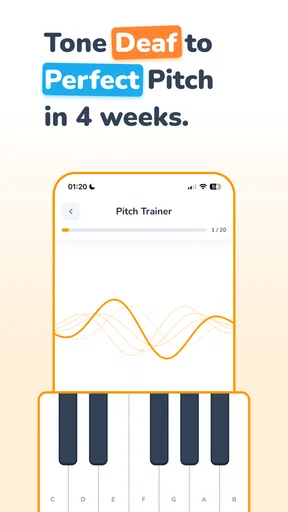
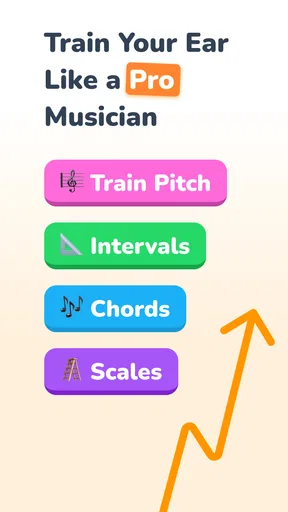
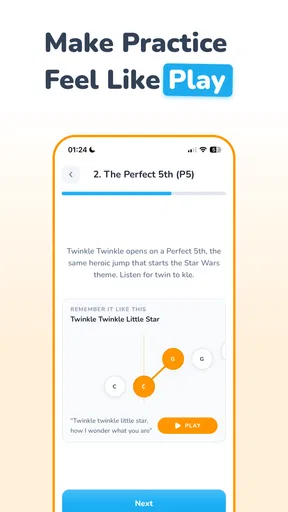
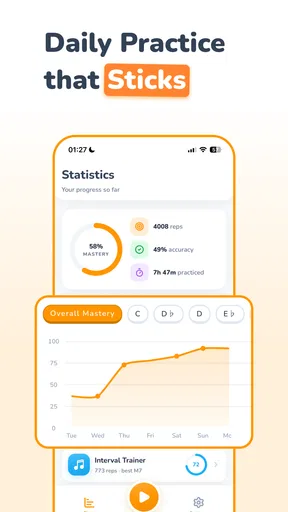
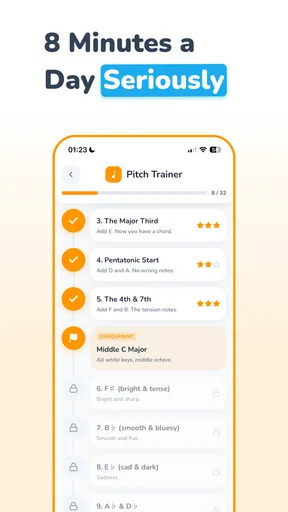
Our Review of Pitch Trainer - Ear Training
 Analysis by Appyee
I found Pitch Trainer - Ear Training most useful when I treated it as a small daily instrument lesson rather than a game I needed to finish. It is an education app from Ear & Pitch Training Studios LLC, built around listening carefully to notes, intervals, chords, scales, and progressions. That focus sounds narrow, but it covers several skills that musicians often postpone because they are difficult to practise alone.
My first impression was that the app makes ear work feel approachable. You listen, answer, and repeat, without needing an instrument in your hands every time. The free download also lowers the barrier for anyone who is curious about ear training before committing to a paid music course. After the initial novelty, though, the important question is whether the exercises can become part of a routine. In my experience, that depends less on excitement and more on whether you use it in short, purposeful sessions.
From an easy first week to a useful listening habit
The first week is where this app has its clearest appeal. A beginner can open it with a simple goal: identify what was heard, make a choice, and learn from the result. That is more practical than trying to understand ear training as a large theory subject. I liked the direct relationship between the sound and the answer, because it encourages active listening instead of passive reading.
It is especially suitable for someone learning piano, guitar, singing, or basic music theory. You do not need to turn every session into a formal study block. A few exercises before practising an instrument can prepare your ears for the sounds you are about to play. A short session after practice can also reveal whether you are recognizing musical relationships or merely relying on finger memory and visual patterns.
One realistic use case is a commuter who has ten quiet minutes before work. Rather than opening a social feed, that person can complete a compact listening session and then stop. Another is a singer who uses the app before rehearsing to focus on pitch relationships. I would not treat it as a replacement for singing with a teacher or playing with other musicians, but it can fill the awkward gap between lessons.
The range of subjects gives the first few days some variety. Notes are a natural starting point, while intervals introduce the distance between pitches. Chords, scales, and progressions move the exercise closer to the way music is actually heard. That progression matters: recognizing one isolated sound is different from understanding how several sounds relate to one another.
Still, users should not expect instant musical confidence. Ear training can feel uncomfortable because mistakes are exposed immediately. If you already know some theory, the early exercises may seem too gentle, depending on your level. If you are completely new to music, the terminology around intervals, chords, and scales may need support from another source. The app can provide practice, but it cannot explain every musical idea as fully as a structured course or teacher.
The app is free to install, carries an Everyone content rating, and has reached over 50 thousand installs. Its average rating is 4.7 from around 3.6 thousand ratings, which suggests that many users find the basic experience worthwhile. I would read those figures as a sign of a healthy starting point, not proof that it will suit every learner. Ear training is personal: one person enjoys repeated recognition drills, while another needs songs, instruments, or teacher feedback to stay engaged.
How I would organize the first sessions
I would resist the temptation to jump between every available subject immediately. Starting with one area makes mistakes easier to interpret. For example, spend a session concentrating on notes, then another on intervals, rather than mixing unfamiliar chord and progression questions into the same practice. This is a small but important workflow improvement because it turns a wrong answer into information about a specific weakness.
I would also answer before looking for reassurance from an instrument. If you check every sound on a keyboard immediately, you may become good at matching rather than recognizing. A better routine is to make a private judgement first, then use an instrument later to investigate repeated errors. That turns the app into a listening exercise instead of a shortcut to the answer.
Another useful habit is to stop while attention is still reasonably sharp. Ear work becomes less valuable when I am clicking through sounds without really holding them in memory. Short sessions make it easier to notice whether I am improving or simply becoming tired. The app is most convincing when used as deliberate practice, not as background entertainment.
What remains valuable after the novelty fades
The lasting value comes from repetition with a musical reason behind it. Recognizing an interval once is not enough; the skill becomes useful when the sound starts to feel familiar in different contexts. The same applies to chords, scales, and progressions. A musician benefits when listening becomes faster and less dependent on counting or visualizing every step.
That makes this app more valuable to active learners than to people collecting educational apps. If I am learning songs by ear, trying to sing more accurately, or wanting to understand harmony without constantly reaching for a theory chart, regular practice can support those goals. The app does not create the music for me, but it gives me a focused place to train the hearing that music depends on.
For month-to-month use, I would connect each session to a real musical task. Before learning a melody, I might work on notes or intervals. Before studying a chord progression, I might focus on hearing movement between harmonies. After practising scales, I could return to the relevant listening material and check whether the sounds are becoming easier to identify. This connection prevents the exercises from feeling detached from actual musicianship.
A less obvious benefit is diagnostic. If I repeatedly confuse two intervals, that tells me something more useful than a general feeling that my ear is weak. I can then sing those relationships, play them slowly, and listen for the emotional or spatial difference between them. In that sense, the app works best as a mirror for practice. It highlights where I need to spend time, while the instrument, songs, and teacher provide the wider context.
It can also suit different levels, but not in exactly the same way. Beginners may appreciate the structured listening challenge and the chance to build vocabulary. Intermediate musicians may use it to maintain skills that are easy to neglect. More advanced players may find the greatest value in targeted refreshers rather than long sessions. I would not choose it as my only training environment if I needed professional-level transcription, ensemble interaction, or detailed feedback on my own singing.
The free entry point is helpful, but the presence of in-app purchases means the complete experience may require spending depending on how much content or access a user wants. Individual purchases range from about five dollars to around sixty dollars. I would decide based on actual use rather than buying immediately. First establish whether the listening format fits your learning style; then consider whether the paid options solve a need you already have.
Where it compares well with usual alternatives
The usual alternatives are a teacher, a musical instrument, printed theory exercises, videos, or general-purpose music games. A teacher offers personalized correction and can adapt examples to a student’s voice or instrument, so the app cannot compete with that depth. An instrument offers immediate physical feedback, but it can also let me guess by position instead of listening closely. Printed material explains concepts well, yet it does not create the same repeated sound-and-answer loop.
Compared with casual music games, this app feels more focused. The subject matter is not just tapping along to a beat; it is about identifying musical content. That makes it less entertaining for someone seeking a quick game and more useful for someone who wants a specific skill. Compared with videos, it is more interactive because I have to respond, although videos may be better when I need a detailed explanation of why an answer is correct.
The strongest combination, in my view, is the app plus an instrument and real music. Use the app to isolate a listening problem, use the instrument to explore it, and then return to a song or exercise where the sound appears naturally. If I only use the app, I risk becoming familiar with its question format without transferring the skill to music. If I only use an instrument, I may avoid the uncertainty that ear training is meant to develop.
Keeping the routine manageable over time
The maintenance burden is low in terms of setup. I do not need to arrange a room, tune an instrument, or wait for another person before beginning. That convenience is valuable on busy days. The real burden is mental: I have to listen attentively, accept mistakes, and return often enough for the skill to stay active.
That is why I would schedule it around an existing musical habit rather than rely on motivation. A session after warming up, before opening a practice book, or during a regular commute is easier to maintain than a vague promise to practise later. The routine should be small enough that missing one day does not turn into abandoning the app entirely.
There is also a useful distinction between improvement sessions and maintenance sessions. When I am actively learning, I can concentrate on one difficult area and tolerate more mistakes. Once the skill feels steadier, shorter refreshers may be enough to keep it available. The app earns recurring value when it supports both phases instead of being treated as a one-time test.
Device compatibility is another practical consideration. The listed minimum operating system is Android 7.0, so people using older devices should check compatibility before planning around it. The current version is 6.3.3, which indicates an established app rather than a brand-new experiment. I would still keep expectations realistic: an updated app can be dependable, but it does not remove the need for personal consistency.
The biggest source of fatigue is repetition without reflection. If I keep answering quickly and moving on, the exercises can become mechanical. I get more from pausing after an error and asking what confused me: was the sound too close to another interval, did I lose the starting pitch, or was I guessing from a familiar label? That extra moment turns a score into a lesson.
Another fatigue point is difficulty that feels disconnected from progress. If an exercise is far beyond my current ability, repeated failure can make the app feel discouraging. I would step back to a simpler subject, use an instrument to investigate the sound, and return later. Ear training is not improved by proving that I can endure frustration; it improves when the challenge is difficult but understandable.
Some users may also tire of isolated sounds because they want immediate musical context. In that case, I would alternate app practice with melodies, songs, or singing exercises. The app is strongest at focused recognition, while real music supplies expression, memory, and context. Neither side fully replaces the other.
Who should use it and who should look elsewhere
I would recommend it to beginners who want a clear way to start listening more carefully, musicians who need a portable refresher, and singers or instrumentalists who know that theory alone has not improved their ears. It is also a sensible trial for someone unsure whether formal ear training belongs in their routine, because the free starting point makes experimentation easier.
I would be more cautious if you need detailed personal correction, a complete beginner’s music curriculum, or a social practice environment. A teacher is better when you cannot tell why you are wrong. A course may be better when you need explanations, notation, and a carefully sequenced syllabus. A keyboard or guitar remains essential when your goal is to connect hearing with touch and technique.
Parents should also note the Everyone rating in relation to the learner’s actual needs. The rating makes the app broadly suitable from a content perspective, but a child may still need guidance with musical vocabulary and practice expectations. The app can support learning; it should not be mistaken for supervision or a complete lesson plan.
After using it as a focused practice tool, I think Pitch Trainer - Ear Training earns lasting space when the user gives it a job. That job might be preparing for singing, checking interval recognition, maintaining chord awareness, or diagnosing a recurring weakness. Without that purpose, the first-week appeal can fade into another unused education app.
My final judgement is positive but measured. Ear & Pitch Training Studios LLC has made a convenient way to practise several important listening areas, and the free entry point makes it easy to test. Its recurring value comes from short, consistent sessions connected to real music, not from chasing endless scores. I would keep it installed if I were actively learning an instrument or voice, especially as a compact daily supplement. I would skip it as a sole method if I wanted a teacher, a full theory course, or a highly social music experience.
For me, the deciding principle is simple: use the app to identify what your ears need, then take that discovery back to music. Follow that cycle and it can remain useful well beyond the initial curiosity. Use it without reflection, and even a well-focused ear-training tool may eventually feel repetitive.
Verdict
Strengths of Pitch Trainer - Ear Training
- Clear pitch-matching exercises help develop accurate listening skills.
- Short practice sessions make it easy to train regularly.
- Progress tracking helps users monitor improvement over time.
- Exercises suit beginners who are new to ear training.
- Simple interface keeps the focus on listening and responding.
Limitations of Pitch Trainer - Ear Training
- Some advanced exercises may feel limited for experienced musicians.
- Regular practice is needed before noticeable results appear.
- The app may not replace structured lessons with a music teacher.
- Pitch detection can be affected by background noise or poor microphones.
- Certain features or content may require in-app purchases.
Similar Picks in This Category
View All
Duolingo: Language Lessons
Duolingo4.7

Google Classroom
Google LLC2.8

Unacademy: Learn & Crack Exams
Unacademy3.2

Bible App for Kids
Life.Church4.4

Cake - Learn English & Korean
Cake Corp.4.7

Brainly: AI Homework Helper
Brainly4.5
Frequently Asked Questions
What is Pitch Trainer - Ear Training, and who is it designed for?
Pitch Trainer - Ear Training is a music practice app focused on improving your ability to recognize musical pitches by ear. It is suitable for beginners, singers, instrumentalists, music students, and more experienced musicians who want to strengthen their relative-pitch skills. The exercises are generally short and structured, making the app useful for daily practice rather than replacing formal music lessons or a complete theory course.
How does Pitch Trainer - Ear Training help improve musical hearing?
The app plays notes or musical examples and asks you to identify what you hear, allowing you to practice recognizing pitch relationships and note differences. With regular repetition, this type of exercise can improve listening accuracy, concentration, and confidence when singing or playing. Progress usually depends on consistent practice, so users should not expect instant results after only a few sessions.
Do I need previous music theory knowledge to use Pitch Trainer - Ear Training?
You can begin using Pitch Trainer - Ear Training with limited musical experience, although understanding basic concepts such as notes, intervals, and scales may make the exercises easier to follow. Beginners can use the app as an introduction to ear training, while advanced users may benefit from repeating difficult exercises at a faster or more challenging level. A gradual approach is recommended if the terminology feels unfamiliar.
Can Pitch Trainer - Ear Training replace a teacher or professional music course?
The app is a convenient practice tool, but it should not be considered a complete substitute for a music teacher, vocal coach, or structured course. It can help develop pitch recognition through independent exercises, yet it may not correct posture, vocal technique, instrument technique, rhythm problems, or broader musical misunderstandings. Combining the app with lessons, scales, singing practice, or instrumental training can provide more complete progress.
Is Pitch Trainer - Ear Training free, and does it require an internet connection?
Availability of features, advertisements, subscriptions, and in-app purchases can depend on the version of the app and the platform where it is downloaded. Before installing, check the official Google Play or App Store listing for the current pricing and purchase details. Many basic training activities may work without constant internet access, but certain features, updates, analytics, or account-related functions could require a connection.
